In 2020, Crossref’s board voted to adopt the Principles of Open Scholarly Infrastructure, and we completed our first self-assessment. We published our next reviews in March 2022 and December 2024. We are happy to present our latest self-assessment showing there are improvements in a number of areas representing steady progress but there are a few areas to work on and improve.
Ed Pentz, our Executive Director, opened the 2026 Annual Meeting by introducing the theme: Good infrastructure is patient work. Crossref provides foundational infrastructure: an open, persistent scholarly record of metadata, relationships, and identifiers that thousands of tools and services build on. Maintaining that infrastructure and creating lasting value depends on sustained collective effort. True persistence requires active governance, long-term financial commitment, and organisational stewardship.
In 2022, we committed to balancing our working practices and environmental impact, and to openly reporting on those efforts. This is our third report on Crossref’s annual carbon footprint and reflects as much our emissions as it does our learning process. Travel remains the main area of our environmental impact. In 2025, our total emissions were 170 tCO2e, a 3% increase from 2024, with travel accounting for 85% of the total. A big change this year is that we have greater visibility into our AWS-related emissions. With the full transition of our metadata registry and content registration system to the cloud and significantly increased API use, we’re seeing higher carbon costs to host and run our services.
As we approach the end of 2026, research integrity remains a critical focus for the scholarly publishing ecosystem: fast technological advancements are constantly pushing the boundaries of integrity, impacting how everyone in this space interacts with the scholarly record.
Not sure if you’re using iThenticate v1 or iThenticate 2.0? More here.
Not sure whether you’re an account administrator? Find out here.
Private Repository - ScholarOne only
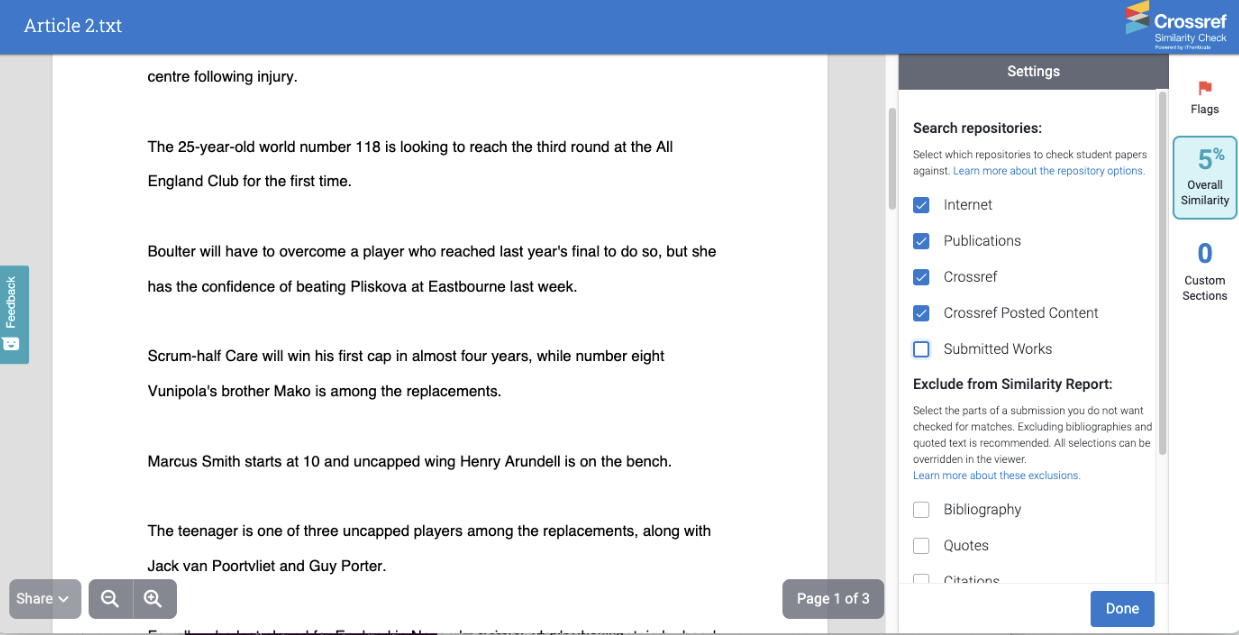
The Submitted Works repository (or Private Repository) is a new feature in iThenticate 2.0. The only MTS that currently integrates with this feature is ScholarOne. This feature allows users to find similarity not just across Turnitin’s extensive Content Database but also across all previous manuscripts submitted to your iThenticate account for all the journals you work on. This would allow you to find collusion between authors or potential cases of duplicate submissions.
How does this work?
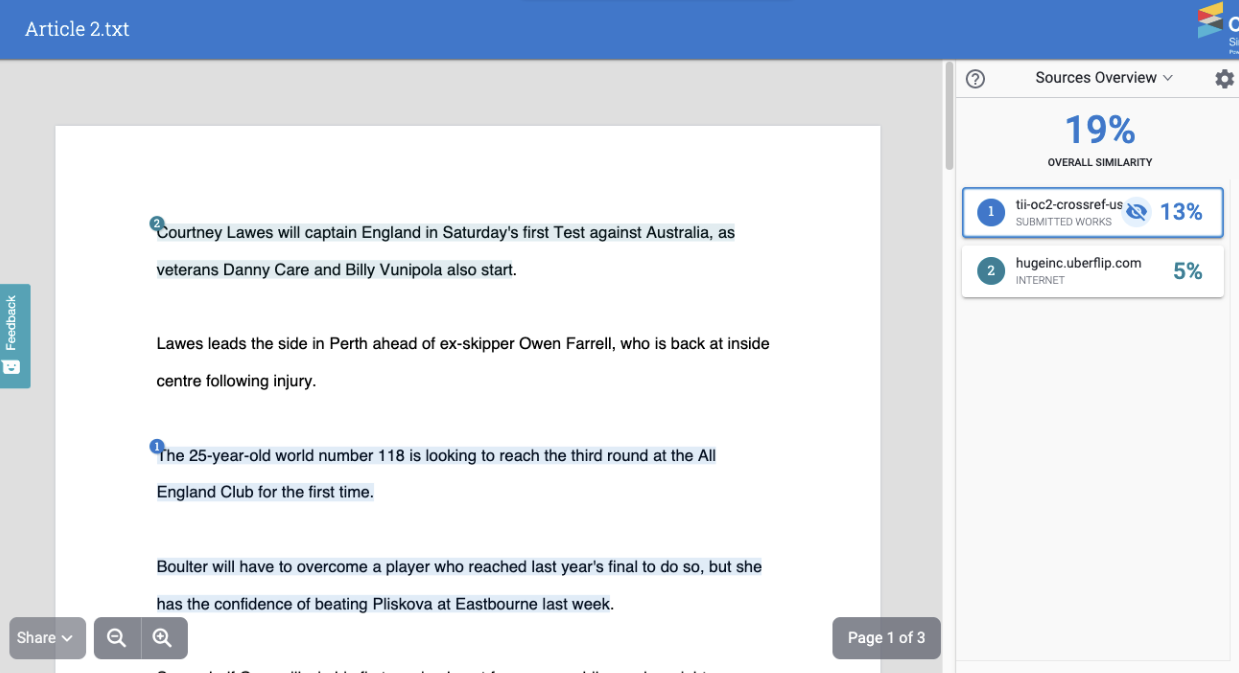
You have received a manuscript from Author 1 and have decided to index this manuscript into your Submitted Works repository. At some point later you receive a new manuscript from Author 2. When generating your Similarity Report, you have decided to check against your Submitted Works repository. There is a paragraph in the manuscript from Author 2 which matches a paragraph in the manuscript from Author 1. This would be highlighted within your Similarity Report as a match against your Submitted Works repository.
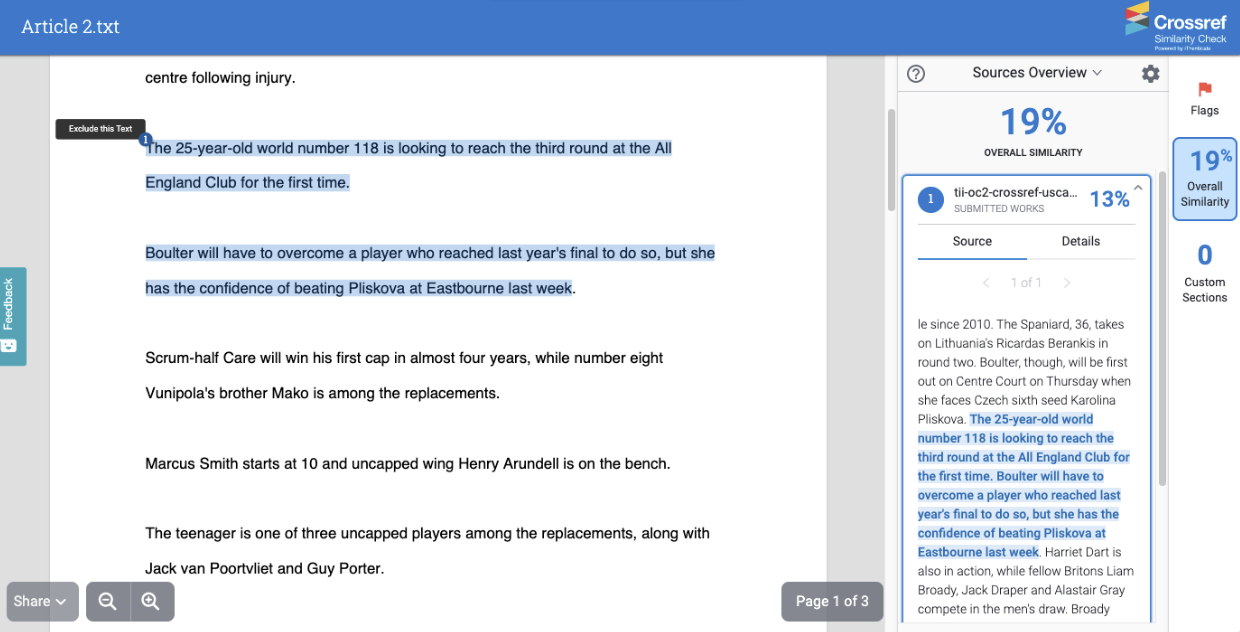
By clicking on this match you can see the full text of the submission you’ve matched against:
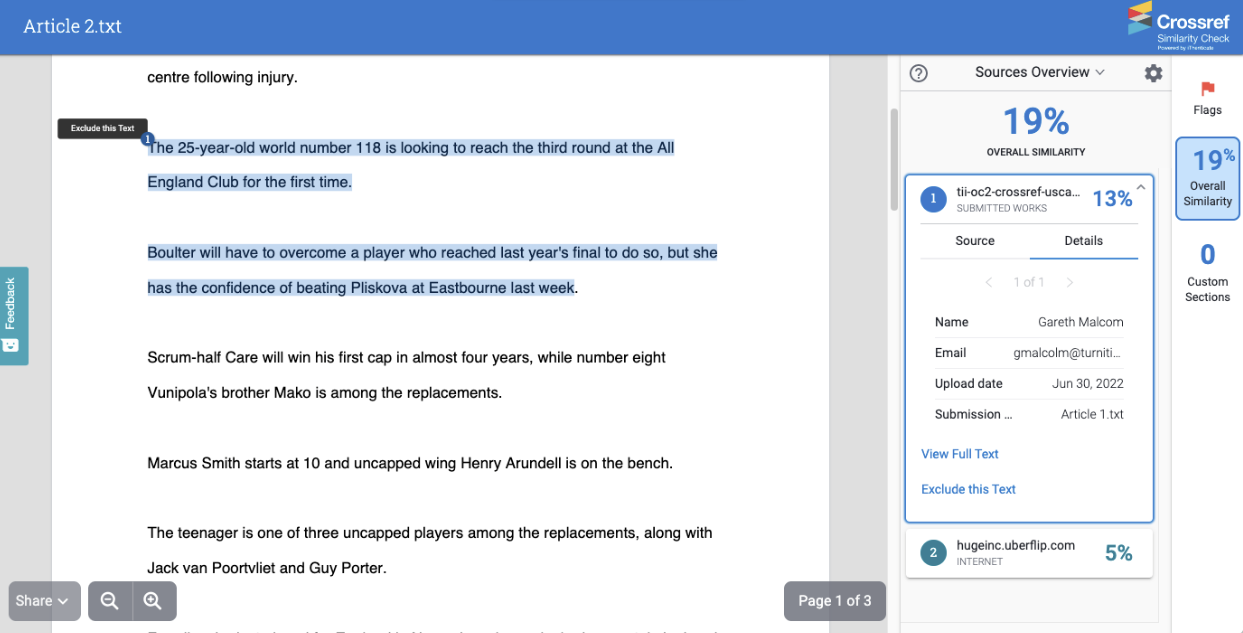
And details about the submission, such as the name and email address of the user who submitted it, the date it was submitted and the title of the submission:
The ability to see the full source text and the details can both be switched off individually.
Setting up the Submitted Works repository
If you are using a third party integration then you should have options inside your MTS when setting up your configuration with iThenticate to decide whether submissions will be indexed to the Submitted Works repository and whether generated Similarity Reports will match against the Submitted Works.
Important: This feature means that sensitive data could be shared between different journals using your iThenticate account
The Submitted Works repository is shared across your entire iThenticate account. This means regardless of whether a submission was made natively from the iThenticate website or through an integration, all Similarity Reports which match against the Submitted Works repository will potentially match against any submissions which were indexed within it. This means that an editor working on one journal may be able to view submissions for another journal. If you are worried about giving your users access to sensitive data, we recommend switching this functionality off.
Submitted Works repository FAQs
Q. How much does this feature cost to use?
This feature comes free with every iThenticate 2.0 account.
Q. How many submissions can I index to my private repository?
There is no limit to the number of submissions you can index.
Q. Can I delete submissions from my private repository?
Yes. An Administrator can find and delete a submission using the Paper Lookup Tool. Go to Turnitin’s help documentation for more information.
Page maintainer: Kathleen Luschek Last updated: 2022-July-15